Devvio Woo Bulk Discount Pricing
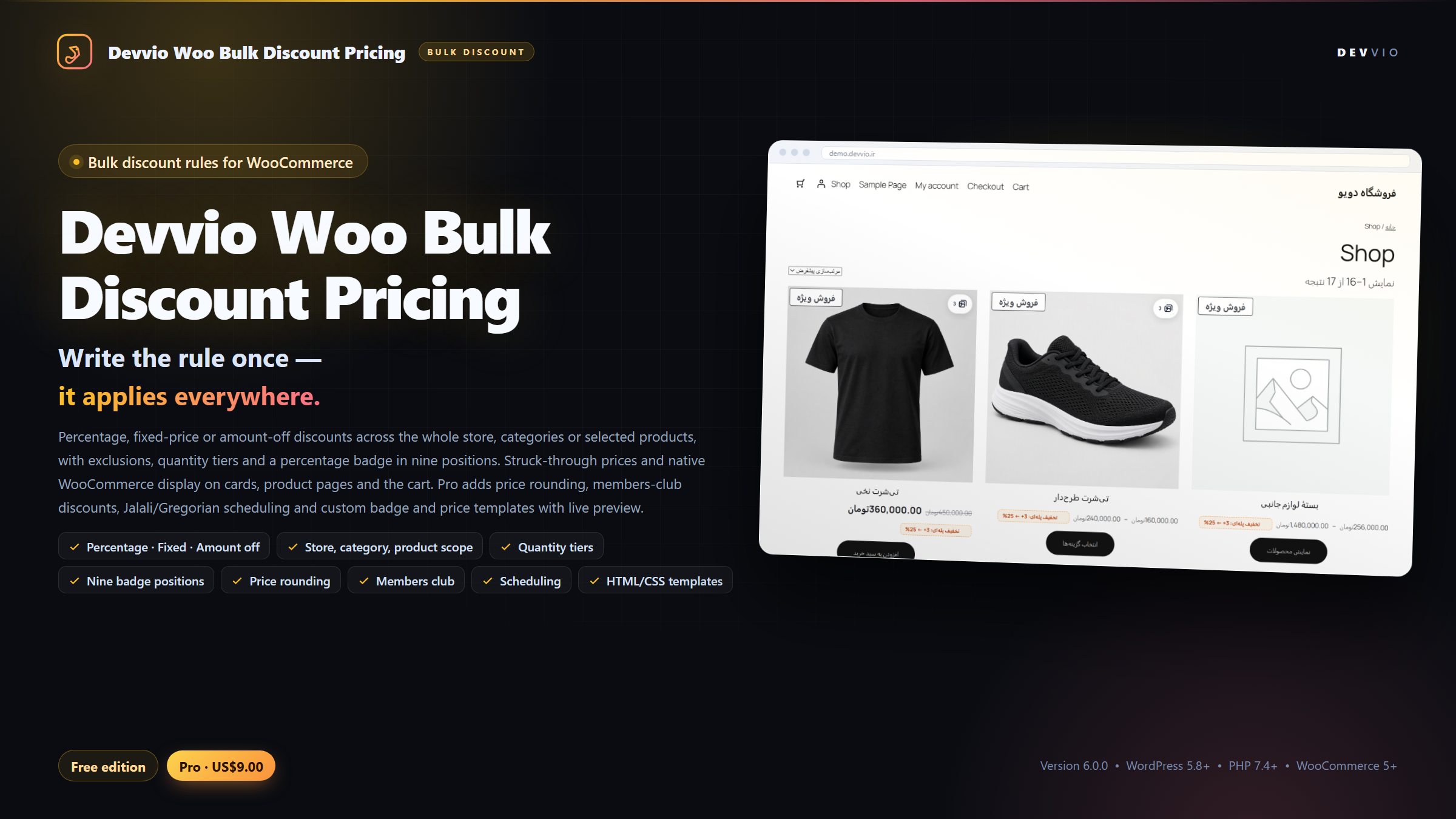
Devvio Woo Bulk Discount Pricing is a discount rule engine for WooCommerce: define once which products get how much off, under which condition, and the plugin applies that rule to the product card, the product page, the cart and the final price. Percentage, fixed sale price or amount-off discounts, for the whole store, selected categories or selected products, with exclusions, quantity tiers, a percentage badge in 9 positions and strikethrough pricing. This plugin is a product of the Devvio development team for devvio.ir and ships in Free and Pro editions. The admin interface and the storefront messages are fully Persian and English and respect right-to-left layouts. The Pro edition adds price rounding, a customer-club discount, Jalali/Gregorian scheduling and custom badge and price templates with a live preview. Why rules instead of editing every price? When your store runs a sale season, changing the price of dozens of products in the dashboard is both slow and risky: you may lose the regular price, leave a discount behind, or forget to restore prices when the campaign ends. With discount rules the product's regular price stays untouched and the plugin computes and applies the discount when the price is displayed. Switch the rule off and prices return to normal that instant. This difference matters: no rule ever rewrites the product's _price or _sale_price in the database. The discount sits on the price output through WooCommerce's own filters, so reports, the dashboard price column, feeds and anything else that needs the regular price see the real number. Building a rule in a few fields Discount type: percentage (0 to 100), a fixed sale price, or an amount taken off the regular price. Value: the percentage, the final price, or the amount deducted from the regular price; validated before saving. Scope: all products, selected categories or specific products. The Pro edition adds two more scopes: products above a price and products at a given stock level. Priority: the lower number runs first and, for each product, the first matching rule wins; the result is predictable and discounts never stack on discounts. Exclusions: pick products that must never be covered by the rule, even if the scope above matches them. Active/inactive: every rule is switched on or off from the rules list with a toggle, without deleting its settings. Quantity tiers: buy more, pay less Each rule can define quantity tiers, for example 3 items ← 25%. The value of each tier is read by the rule's own type: in a percentage rule it is the discount percentage, in a fixed-price rule the final price per unit, and in an amount-off rule the amount deducted from the regular price. When the quantity in the cart reaches a tier, that tier price is applied on the cart line itself, replaces the base discount, and the saved amount is shown next to the cart totals. A small hint is shown next to the product price as well (such as "Tier discount: 3+ ← 25%") so the customer knows the unit price drops when more are added. This hint appears on the shop card and the product page and is not shown in the cart or at checkout. Discount badge and price display 9 badge positions: top left/center/right, middle left/center/right and bottom left/center/right over the product image, chosen with a visual picker grid in the settings. Three display modes: the Devvio design (the computed percentage and a "Discount" label), the WooCommerce default (to stay in line with a theme or another plugin that styles the sale flash) or your own custom template (Pro). Price: the regular price struck through with the final price beside it, on the product card, the product page and the cart; you can pick WooCommerce's default price markup, keep the site theme's markup, or use a custom template (Pro). Custom label: change the text under the percentage (for example "Sale", "Festival", "Off") — in the Pro edition. The badge percentage is computed from the regular and final price, so fixed-price and amount-off discounts also show the right number instead of a fixed percentage typed into the rule. Pro edition: full control over the rule Price and stock scopes: run a rule only on products whose regular price is at or above a threshold, or whose managed stock matches a "less than", "greater than" or "equal to" condition. Made for "discount on everything above 100,000 Toman" or "clear slow-moving stock" campaigns. Price rounding: round the result up, down or to the nearest multiple of a step (for example 5,000 Toman) so odd coin-like prices never reach the store. Customer club: run a rule only for club members, or only for members with a minimum number of points, plus an extra member percentage that sits on top of the base discount and the quantity tiers too. This section works with Devvio's Customer Hub Pro plugin; if the club is not active, member-based rules stay dormant and never break store prices. Campaign schedule: a start and end date in Jalali or Gregorian; the plugin detects the format itself and converts it. Outside that range the rule is fully inactive. Leaving the end empty means "no end date". Custom badge and price templates In the Pro edition you can build the badge and the price with your own HTML and CSS instead of the ready-made Devvio design. The {percent} , {regular_price} and {sale_price} placeholders are filled with the real values at render time. Each template has two CSS sections: the main styles and mobile styles for screens under 768 pixels, so the badge never spills out of the image on a phone. A live preview of every template is shown in the settings at mobile, tablet and desktop widths. Inputs are sanitized: HTML goes through the WordPress allowed list and CSS is stripped of script tags, @import , expression , javascript: and browser behaviors. The preview itself renders inside a sandboxed iframe so your template cannot reach the dashboard. What happens on the storefront and in the cart? The product card price, the product page and the cart lines all come from the same rule engine; no page refresh is needed. If a product has several tiers, each cart line is priced by its own quantity; two lines of the same product can take two different tiers. Variable products are supported: the rule applies to the variation price and the card's price range stays consistent with the final price. Deleting or switching off a rule restores prices that instant, because the regular price was never changed. Admin settings The rules list shows status, scope, percentage and priority columns beside the date, with quick enable/disable. The "Display & templates" screen gathers the badge position, badge and price mode, custom label and templates in one place; the same screen documents relative units ( % , em , rem , vw and clamp() ) for the mobile template. The license screen shows the edition status, the domain, the expiry date and a Free versus Pro feature comparison. Security and data integrity Every rule save is protected by a nonce and a capability check; numbers, percentages and product/category ids are validated before they are written. If Pro rules are ever read by the Free edition for any reason, they never turn into broad public rules; they stay dormant until a valid license re-enables them. HTML/CSS templates are stored through the allowed list and the security filters, and previews run in an isolated environment. Discounts are applied as price filters rather than written to the database, so deactivating the plugin also keeps the original prices intact. Free and Pro editions Free: unlimited rules, all three discount types, all/category/product scopes, exclusions, quantity tiers, priority, the Devvio badge in 9 positions, native WooCommerce display and a Persian/English interface. Pro: everything in Free plus the above-price and stock-level scopes, price rounding, the customer-club discount (Customer Hub Pro) with the extra member percentage, Jalali/Gregorian scheduling, the custom label, and HTML/CSS badge and price templates with a live preview. License, updates and support The Pro license is twelve months and bound to a domain; activating it on a domain enables automatic updates and support for that site. When the year ends, the plugin and all of its rules keep working ; only new version downloads and automatic updates stop. To receive the new year's downloads, renewal costs 25% of the plugin's current price and adds twelve months from the later of the renewal or expiry date. The Plugins screen asks https://devvio.ir/api/updates/check for a new version automatically (with a six-hour cache), shows each version's changelog, and verifies the package against the published size and SHA-256 before installing. An update never changes the installed edition (Free or Pro). License activation and heartbeat run over HTTPS on /api/plugin/* and the status is tied to the key, the domain identity and a stable installation id. Install and get started In the WordPress dashboard go to Plugins ← Add New ← Upload Plugin and install and activate the Free or Pro ZIP. WooCommerce must be installed and active. From the Bulk Discounts ← Add new rule menu create a rule: type, value, scope, priority, and tiers and exclusions if needed. In Display & templates pick the badge position and the badge and price modes. For the Pro edition, enter and activate your key on the License screen; until the key is confirmed, Pro features stay off. Open the store: covered products must show the struck-through price and the discount badge. To test a tier, add the same product to the cart at the tier quantity. Minimum requirements and compatibility WordPress 5.8 or later, PHP 7.4 or later and WooCommerce 5.0 or later. Version 6.0.0 has been tested with WordPress 7.1 and WooCommerce 11.2. Simple and variable products are supported; the customer-club feature requires Devvio's Customer Hub Pro plugin. Development and support This plugin is built, maintained and supported by the Devvio development team and released together with the devvio.ir license and update system. Product page, edition prices, changelog and support: devvio.ir/products/devvio-woo-bulk-discount-pricing
Frequently asked questions
What does Devvio Woo Bulk Discount Pricing do?
It is a discount rule engine for WooCommerce. You define once which products get how much off under which condition, and the plugin applies that rule to the product card, the product page, the cart and the final price. Percentage, fixed-price and amount-off discounts; all products, categories or specific products as the scope; exclusions, quantity tiers, priority ordering and a percentage badge in 9 image positions. The Pro edition adds price rounding, customer-club discounts, Jalali/Gregorian scheduling and custom badge and price templates with a live preview. The plugin is a product of the Devvio development team for devvio.ir, and version 6.0.0 has been tested with WordPress 7.1 and WooCommerce 11.2.
Does the plugin change product prices in the database?
No. No rule rewrites the product's _price or _sale_price; the discount sits on the price output through WooCommerce's own filters. The regular price, reports and the dashboard price column stay untouched, and deleting or switching off a rule returns prices to normal that instant. Even deactivating the whole plugin leaves the stored prices alone.
What is the difference between the Free and Pro editions?
Free: unlimited rules, all three discount types, all/category/product scopes, exclusions, quantity tiers, priority ordering, the Devvio badge in 9 positions, native WooCommerce display and a Persian/English interface. Pro has all of that plus the above-price and stock-level scopes, price rounding, customer-club rules (Customer Hub Pro) with the extra member percentage, Jalali/Gregorian scheduling, a custom badge label, and HTML/CSS badge and price templates with a live preview. The Pro edition costs 1,850,000 Toman or US$9. If you later install the Pro package over Free, your rules and settings stay in the database and only the feature set changes.
How are the three discount types calculated?
Percentage: a number between 0 and 100 taken off the regular price. Fixed price: the final sale price per unit. Amount off: a sum deducted from the regular price. The value is validated before saving; a percentage outside the range is clamped back into it and a negative value is not accepted. The badge percentage is also computed from the regular and final price, so fixed-price and amount-off rules show the real number instead of whatever was typed into the rule.
When several rules match one product, which one applies?
The rule with the lower priority (the Priority field in the rule editor) is checked first and the first matching rule wins for that product; the result is predictable and discounts never stack. Exclusions are applied before the scope: a product listed in a rule's exclusions never receives that discount even if it matches the scope. For a variable product, both the variation and its parent are checked against the exclusions.
What scope options does a rule have?
All products, selected categories or specific products. The Pro edition adds two more scopes: products whose regular price is at or above a threshold, and products whose managed stock matches a less-than, greater-than or equal-to condition. If the price threshold is left empty or zero the rule covers no products, so a mistake cannot silently discount the whole store.
How do quantity tiers work in the cart?
Each rule can define tiers, for example 3 items ← 25%. The value of a tier is read by the rule's own type: the percentage in a percentage rule, the final price per unit in a fixed-price rule, and the deducted amount in an amount-off rule. When a cart line reaches a tier quantity, that tier price applies to that line; two lines of the same product can take two different tiers. A tier never raises a price: it only replaces the current price when it is lower. Next to the product price in the store the plugin shows a hint with up to the first three tiers; the hint is not shown in the cart or at checkout.
Are variable products supported?
Yes. The rule applies to the variation price and the card's price range stays consistent with the final price. Category scope uses the variation's parent categories, and exclusions check both the variation and its parent. For the stock condition, when the variation itself has no managed stock the parent's stock is checked.
What options exist for the discount badge and price display?
The badge has 9 positions over the product image (top, middle and bottom across left, center and right) chosen from a visual picker grid. It has three display modes: the Devvio design with the computed percentage and a Discount label, the WooCommerce default badge to stay in line with a theme or another plugin, or your own custom template (Pro). For the price you can use WooCommerce's default markup, keep the site theme's markup, or use a custom template (Pro). A badge whose percentage drops below 1 is not rendered, so a meaningless '0% off' never appears on the store.
How do customer-club rules work?
In the Pro edition a rule can run only for club members, or only for members with a minimum number of points, and you can set an extra member percentage. That extra percentage applies on top of the base discount and on top of quantity-tier prices as well. This section works with Devvio's Customer Hub Pro plugin; if the club is not active, or the visitor is a guest, the member-based rule does not run and never breaks store prices.
Can a campaign be scheduled with Jalali dates?
Yes. Start and end dates can be entered in Jalali or Gregorian; the plugin detects the format itself, accepts Persian digits and converts the value to a Gregorian date. Outside that window the rule is fully inactive, and leaving the end empty means no end date. Scheduling is a Pro feature; without a valid license a scheduled rule stays off rather than turning into a public rule.
How are custom badge and price templates built, and are they safe?
In the Pro edition you build the badge and price with your own HTML and CSS. The {percent}, {regular_price} and {sale_price} placeholders are filled with real values at render time, and each template has a mobile CSS section for screens under 768 pixels. A live preview is shown at mobile, tablet and desktop widths inside the settings. HTML goes through the WordPress allowed list and CSS is stripped of scripts, @import, expression, javascript: and browser behaviors; the preview itself runs inside a sandboxed iframe.
What happens when the twelve months end?
The plugin and every installed rule and template keep working. Only new version downloads and automatic updates stop. To receive the new year's downloads, renewal costs 25% of the plugin's current price and adds twelve months from the later of the renewal or expiry date. The Free edition needs no license key and keeps receiving its own updates.
How do automatic updates work and how is the package verified?
The Plugins screen asks https://devvio.ir/api/updates/check for a new version automatically; the answer is cached for six hours so the site is not queried on every page load. Each version's changelog is shown in the details view, and the package is verified against the published size and SHA-256 before installation; a mismatched package is not installed. An update never changes the installed edition: Free stays Free and Pro stays Pro.
What are the minimum requirements?
WordPress 5.8 or later, PHP 7.4 or later and an active WooCommerce 5.0 or later. Version 6.0.0 has been tested with WordPress 7.1 and WooCommerce 11.2. Simple and variable products are supported, and the customer-club feature requires Devvio's Customer Hub Pro plugin.
What happens to rules and prices if I deactivate or delete the plugin?
Deactivating the plugin only stops rules from running; the stored prices were never changed, so the store shows its regular prices immediately and the rules are still there when you reactivate. Deleting the plugin is irreversible: the rules and their meta, display settings, templates, the license key and state, update caches and the notice-dismissal state are all removed.
Select edition