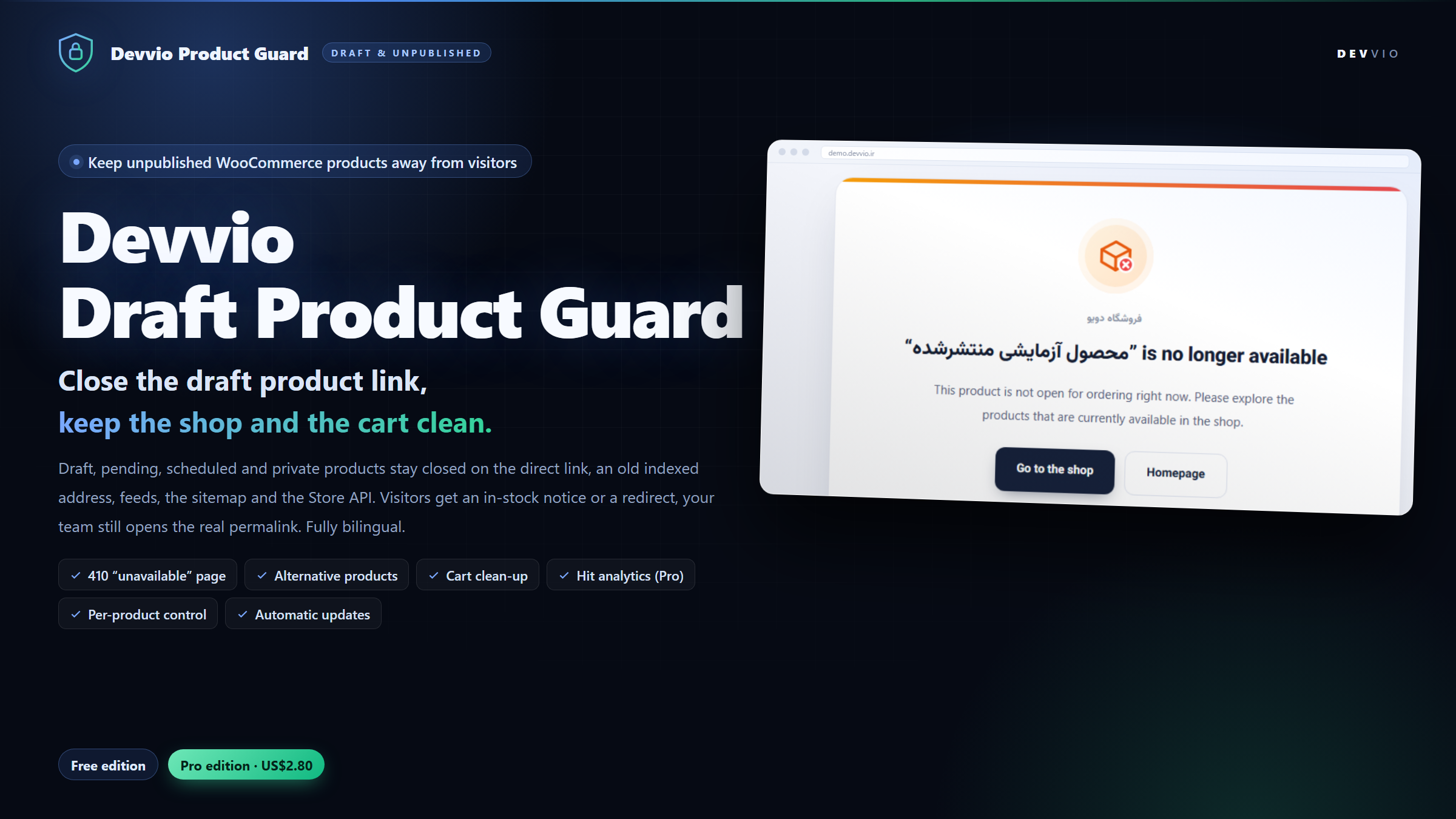
Devvio Draft Product Guard
Devvio Draft Product Guard is a WordPress and WooCommerce plugin that closes the back door of an unpublished product. A draft, a pending review, a product scheduled for next week or a private one still answers to a direct link: anyone who finds or guesses the address can read the copy, see the price and press Add to cart . The plugin intercepts that visit and answers with a branded "not available" page carrying 410 Gone (or 404), with the option of a redirect instead. Version 2.0.0 ships in Free and Pro . The page layer, the purchase layer and the bot layer run in both editions. Pro adds status selection, listing and API coverage, cart clean-up, a per-product override and real hit analytics. The admin screens, the preview banner and the visitor page are all bilingual Persian/English with correct RTL/LTR layout. What exactly gets closed? The product page through a direct link. WordPress already answers 404 for a draft permalink, but ?p= requests, an old indexed URL and guessed addresses keep drawing traffic. The plugin resolves the product from the requested address itself and serves the response you configured. The purchase path. Add-to-cart validation, purchasability, the in-stock flag, the availability text and price output all refuse a protected product, so a cached page, a shortcode or a theme widget cannot leak an order form. Bot access. The response carries X-Robots-Tag: noindex, nofollow and the canonical URL is removed from feeds, so the address leaves search indexes instead of staying in them. In Pro, the listings and the API too. A product you force to Protect is pruned from the shop and category archives, search results, the Related products and Upsells blocks, product shortcodes, RSS feeds, the product sitemap and the WooCommerce Store API : /wc/store/v1/products/<id> and the slug route answer with the same 410/404 plus noindex, because WooCommerce builds those responses without running any query you could filter. The visitor response: notice page or redirect On the Guard settings tab you choose one of four behaviours: Unavailable page with status 410 Gone (recommended) or 404 Not found . 410 tells search engines the address was removed deliberately so it drops out of the index quickly; 404 keeps it as a temporary miss. Redirect to the homepage and redirect to the shop page - both editions. Redirect to the product category - Pro. Redirects are sent as 302 , so the moment you publish the product the new destination is picked up again instead of a permanent redirect freezing the old target in every index. The unavailable page is a clean standalone template: Vazirmatn typography, responsive, RTL and LTR, prefers-reduced-motion aware, with a short "Protection by Devvio" credit. The heading, message and both button labels are editable, and you can show the product name in the heading so the page reads like a sold-out notice rather than a site error. Alternative products The page can offer replacements so a shopper who landed on a dead link does not abandon the visit. Free shows three random in-stock published products . In Pro you choose the source (random, the same category, or best sellers) and the count between 2 and 12 . Only products that really are published, visible and in stock are ever suggested. What the shop manager sees Protection applies to visitors only. The role you pick - shop managers (manage_woocommerce) , editors and above (edit_posts) or administrators only (manage_options) - opens the real permalink normally, sees exactly what the product will look like once published and gets a preview banner explaining the protection. Pro adds a "see it as a visitor" link that renders the identical visitor response, including the status code, so you can approve the wording and layout before launch. When the product is already in someone's cart This case is more common than it looks: a customer has the product in the cart and you move it back to draft. On every page load WooCommerce rebuilds the cart from the session and deletes anything that is no longer purchasable - with its own generic wording. With automatic cart clean-up (Pro) switched on, the plugin claims that moment: the item is removed and the shopper reads your message - "“…” was removed from your cart because it is no longer on sale." - before reaching checkout. Because it happens during session load, it works for the block cart and the Store API as well, not only for the classic shortcode page. Hit analytics (Pro) Every hit on a protected link is recorded and reported on the Hit analytics tab: Which product and how often, in a most-requested table. How it was reached : direct link, indexed address, editor preview, feed or Store API request. Who it was : human, search engine, AI engine, social referrer or generic crawler, with the referring address. A daily chart , unique visitor counts and a CSV export . Privacy is designed in: instead of an IP address the log keeps a rotating one-day HMAC hash and never stores the full user agent. A daily schedule prunes rows to the retention window you set (7 to 730 days, capped at 200,000 rows), and one button empties the whole log. The Free edition collects nothing. Bilingual from settings to visitor page The page title, message, button labels and the suggestions heading are written in two columns, Persian and English . The language follows the site locale or the logged-in user's locale, and on an English store a guest whose browser prefers Persian is answered with the Persian texts - the header is consulted on the front end only, so the dashboard keeps its own language. Bilingual installs driven by WPML or Polylang render the page in the active language. You can also force the plugin language to Persian, English or "follow the site". Admin strings carry a full Persian translation; the build was verified in a lab running Persian WordPress 7.1.4 with WooCommerce 11.2.1. Free vs Pro - the exact boundary Capability Free Pro Guard an unpublished product behind a direct or indexed link Yes Yes Branded unavailable page with 410/404 and noindex headers Yes Yes Block add-to-cart, purchase, stock and price output Yes Yes Redirect to homepage or shop (302) Yes Yes Three in-stock suggestions Yes Yes Preview banner on the real permalink Yes Yes Choose which statuses are guarded, redirect to the category — Yes Suggestion source and count (2-12) — Yes Cart clean-up with the plugin's own notice — Yes Per-product Protect/Exempt override and visitor-view preview — Yes Protected product leaves catalog grids, related blocks, feeds, sitemap and the Store API — Yes Hit analytics with source and bot breakdown, chart and CSV — Yes The Free edition needs no license key and still receives updates. Annual license and automatic updates The plugin is wired to the devvio.ir update system: the plugins screen calls https://devvio.ir/api/updates/check twice a day, shows the changelog and installs the package matching your edition. Before installation the package is verified against the published SHA-256 hash and file size ; a mismatch aborts with a readable message. An update never changes your edition - Free stays Free, Pro stays Pro. Activation, heartbeat and release run against https://devvio.ir/api/plugin/* over HTTPS only, bound to the key and to this site's identity and installation id. A license covers one site for twelve months. After expiry the Pro features you installed keep working and your store stays protected; only new downloads pause until you renew at 25% of the current price , which adds twelve months from the later of today or the expiry date. Setup in five steps Install and activate devvio-wc-draft-product-guard-2.0.0-free.zip or -pro.zip from Plugins → Add New → Upload Plugin . WooCommerce must be active; otherwise the plugin only shows a notice and never touches the store. Open WooCommerce → Draft Product Guard and read the Guide & editions tab. The default setup (unavailable page + 410 + noindex + three suggestions) is right for most stores. On Guard settings pick the response mode, HTTP status, the role that may still see unpublished products and - in Pro - which statuses are guarded. Write the Persian and English texts and the button labels. For Pro, paste the license key on the License tab and click Activate . Free skips this step. If a full-page cache sits in front of WordPress, purge it after changing the mode: the guard answers before the theme renders, and a cached copy can hide that response. Requirements and compatibility WordPress 5.8 or newer (tested on 7.1.4), PHP 7.4 or newer, WooCommerce active. HPOS and the Cart/Checkout blocks are declared compatible in before_woocommerce_init ; the plugin hooks WooCommerce filters rather than theme templates, so classic and block themes both work. Shop managers can save the settings without being given manage_options ; the license tab stays administrator-only. On uninstall, settings and the hit log are kept unless you enable "delete data on uninstall". Developed and supported by Devvio This plugin is built and maintained by the Devvio development team at devvio.ir . The Devvio brand is carried by the plugin name, the package files, the settings screen, the preview banner and the visitor page footer. Release history, pricing and support requests are handled from this product page on devvio.ir.
Frequently asked questions
What does Devvio Draft Product Guard do?
It closes direct and indexed access to WooCommerce products that are not published - draft, pending review, scheduled or private. Visitors get a branded 'not available' page answering with 410 or 404 plus a noindex header, or a redirect to the destination you choose. It is a WooCommerce companion: with WooCommerce inactive it changes nothing on the site. Version 2.0.0 ships in a Free and a Pro edition.
Will the product be hidden from me and my team as well?
No. The role level you pick in the settings - shop managers, editors and above, or administrators only - opens the real permalink normally, sees exactly what the product will look like once published, and gets a preview banner at the top of the page. Pro adds a 'see it as a visitor' link that renders the identical visitor response with the same status code.
What is the difference between 410 and 404 here, and which should I use?
410 Gone tells search engines the address was removed deliberately, so it normally drops out of the index within days. 404 keeps it as a temporary miss that gets re-crawled. Use 404 for a product that will be published soon and 410 for links you want out of the search results; 410 is the default and both modes send X-Robots-Tag: noindex, nofollow.
Why do I still see my product in Google after installing the plugin?
Because the page still has to be re-crawled. With a 410 response and the noindex header the address usually leaves the index within days. In Pro, the hit analytics tab shows precisely which indexed links are still receiving visits, so you know what to clean up first.
Can a protected product still be bought from a cached page, a shortcode or the Store API?
No. The plugin does not stop at the page response: add-to-cart validation, purchasability, the in-stock flag, the availability text, catalog visibility and price output all refuse the same product. The API path is closed too - a direct request to /wc/store/v1/products by id or slug returns the same 410/404 with noindex for a protected product.
Does it also disappear from category pages, the related-products block, feeds and the sitemap?
Yes, in Pro. A product you force to Protect is pruned from the shop and category archives, search results, the Related products and Upsells blocks, product shortcodes, RSS feeds, the product sitemap and the Store API. In Free the page and the purchase path are guarded, while listings keep following WordPress' own status rules.
What happens if the product is already sitting in a customer's cart?
With automatic cart clean-up switched on (Pro) the plugin takes over the moment WooCommerce rebuilds the cart from the session: the line is removed and the shopper reads the plugin's own notice that the product is no longer on sale. Because it happens during session load it works for the block cart and the Store API too, not only for the shortcode cart page.
Can I guard only certain statuses, or only one product?
Yes, in Pro. Pick any of the four statuses - draft, pending, scheduled, private - and set a per-product Protect or Exempt override straight from the product list. That is how a campaign page stays purchasable while it is still unpublished, without switching the license lock off for the whole store.
What happens when my Pro license expires?
Nothing on the front line: every Pro feature you installed keeps working and your store stays protected. Only new downloads pause. Renewing at 25% of the current price adds twelve months of updates and support, counted from the later of today or the expiry date.
Do the hit analytics compromise visitor privacy?
No. Instead of an IP address the log stores a rotating one-day HMAC hash and never keeps the full user agent. A daily schedule prunes rows to the retention window you set (7 to 730 days, capped at 200,000 rows) and one button empties the whole log. The Free edition collects nothing at all.
What are the requirements, languages and the installation path?
WordPress 5.8 or newer (tested on 7.1.4), PHP 7.4 or newer and an active WooCommerce. Install the zip from Plugins - Add New - Upload Plugin, activate it, then open WooCommerce - Draft Product Guard. The interface, the preview banner and the visitor page are bilingual Persian/English with correct RTL and LTR layout, HPOS and the Cart/Checkout blocks are supported, and automatic updates from devvio.ir verify the published SHA-256 hash and file size before installing.
Select edition