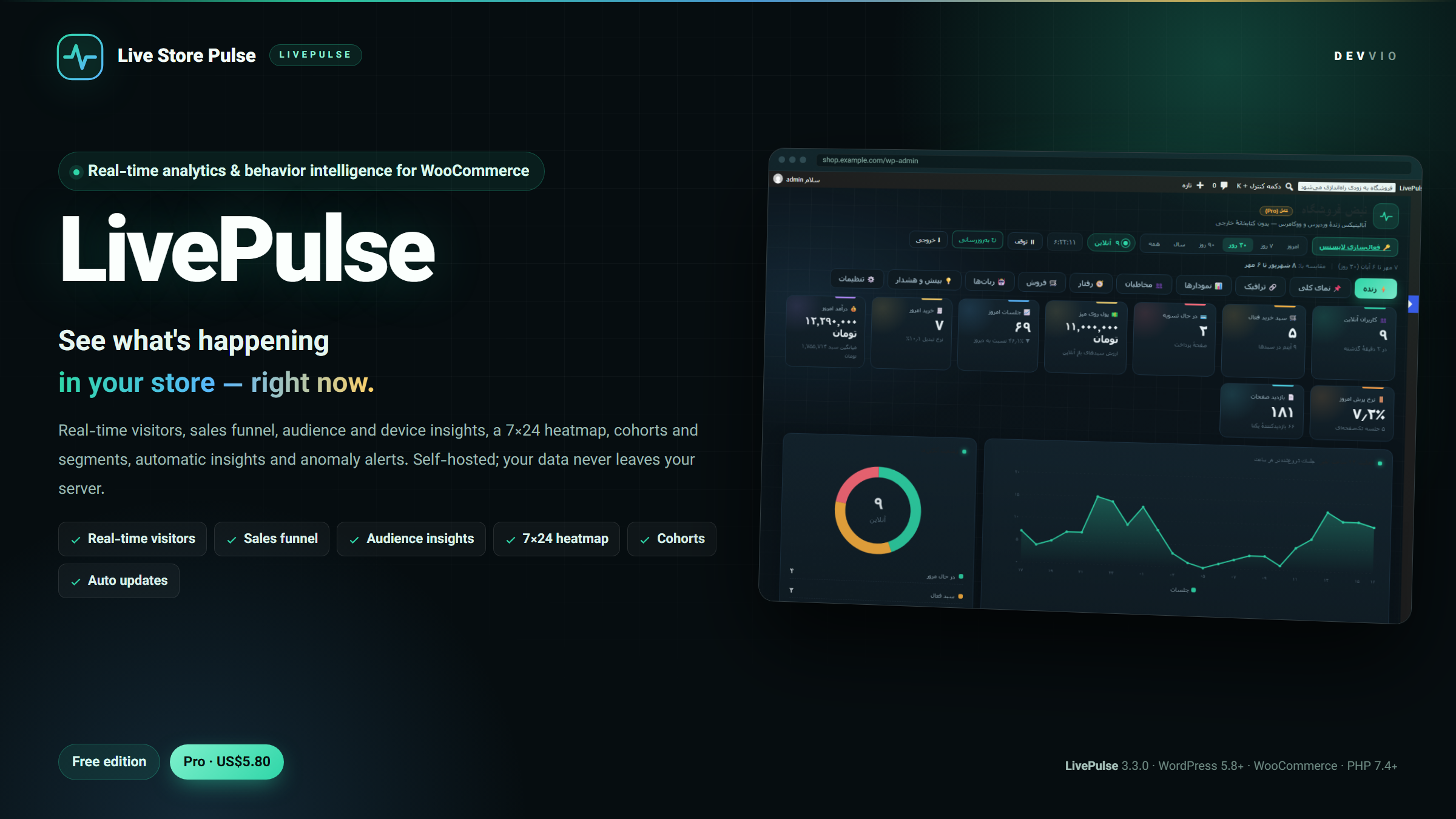
LivePulse
LivePulse is a self-hosted analytics plugin for WordPress and WooCommerce that shows real-time traffic, visitor behavior, your sales funnel and incoming bot traffic from inside your own admin dashboard — without Google Analytics, third-party scripts, or sending visitor data to an external service. Version 3.3.0 ships as two separate packages: Free and Pro . The admin interface is Persian and right-to-left. Free works forever without a license key; Pro is licensed for one site for 12 months. When a Pro license expires, the plugin and your data keep working — only new updates and support stop until you renew. Who is it for? WooCommerce stores that want to know, right now, how many visitors are online, which product they are viewing and how many carts are active. Store owners who need to see where traffic comes from, which funnel step leaks the most, and which products get views but no sales. Sites with strict privacy requirements that do not want visitor data sent to a third-party server. Persian-language sites that need ready reports with the Jalali calendar, not a complex English dashboard. Shared hosting environments that cannot carry the weight of a heavy external analytics tool. What is in the dashboard? ⚡ Live view Visitors online in the last few seconds, active carts, shoppers in checkout, hot pages in real time, incoming traffic rate, a recent-visitor feed (no full IP shown) and a 24-hour sparkline. This is the tab to watch while a campaign is running or right after a change. 📌 Overview Sessions, unique visitors, pageviews, average duration, bounce rate, add-to-cart, purchases, revenue and average order value — each with a comparison against the previous period. A trend chart and a mini funnel give you the whole picture at a glance. 🔗 Traffic and sources Traffic sources (direct, search engines, social networks, email, paid ads), UTM campaigns, keywords, landing and exit pages. Persian search engines and social networks are classified separately, and visits from AI assistants (ChatGPT, Claude, Perplexity, Gemini and similar) are counted as their own source. 📊 Charts and comparison Daily, hourly, weekday and monthly charts with Jalali, Hijri and Gregorian calendars; a 7×24 heatmap to find peak hours and days; days-of-month, day-part breakdown (morning/noon/evening/night) and a side-by-side comparison of any two date ranges. 👥 Audience Device, operating system and version, browser, brand, screen size, language, gender, age group, country and city, traffic quality (genuine/suspicious/datacenter), scroll depth, loyalty distribution and a return cohort table (what share of each week's visitors come back later). 🧭 Behavior A Sankey journey graph shows where visitors enter and where they go next, alongside top full paths, internal site searches, custom events (add-to-cart, clicks, form submissions and more), outbound links and a complete sessions table. 🛒 Sales A 5-step funnel from visit to purchase with per-step rates and the biggest leak; funnel splits by source, device or new vs. returning visitors; a product views-versus-revenue scatter chart; RFM segmentation with nine ready segments (loyal, at-risk, new and so on); and a revenue-versus-traffic chart. When WooCommerce is active, orders are connected to sales analytics automatically. 🤖 Bots Non-human traffic is counted instead of discarded. See which bots and AI crawlers (GPTBot, ClaudeBot, PerplexityBot, Google-Extended and others) read your site, which pages they request, and how many distinct networks they come from. Only a hash of the IP is stored — never the full address. 💡 Insights, anomalies and health Automatic Persian-language insights derived from your data (traffic growth or drop, peak hour, best-selling product, the funnel step that needs attention and more), traffic anomaly detection against your normal pattern, email or Telegram alerts, a periodic digest, and a system health tab for database tables, the geo queue and scheduled jobs. Lightweight, with no external service No network call on the visitor request path; the optional IP geo lookup runs only in a cron queue. The front page gets zero additional queries and product pages two indexed queries; reports read from small aggregate tables rather than raw data. Tracking is sent asynchronously with sendBeacon ; the visitor never waits for a request. All heavy work runs in cron (five-minute, hourly, daily) with an overlap lock. No external fonts, no JavaScript library and no extra jQuery; assets are versioned and cacheable. Privacy and data retention IP anonymization is enabled by default; full IP addresses are never stored or shown in the UI. An optional consent banner, retention policy and automatic cleanup of old data are available in settings. The plugin registers as a standard WordPress privacy Exporter and Eraser, with dedicated "delete stored IPs" and "purge raw data" tools. All data stays in your own database; when you uninstall, data is removed only if you choose so. Free vs. Pro Feature Free Pro Live view, active carts and hot pages ✔ ✔ Overview KPIs with previous-period comparison ✔ ✔ Traffic sources, UTM, keywords and landing pages ✔ ✔ Sessions table ✔ ✔ System health tab and basic settings ✔ ✔ Charts, heatmap and two-range comparison — ✔ Audience, geography and return cohorts — ✔ Behavior: Sankey, events and internal search — ✔ Sales: funnel, product analytics and RFM — ✔ Bot and AI crawler counting — ✔ Automatic insights, anomalies and alerts — ✔ CSV/JSON export 3 reports (sessions, pages, daily summary) All 10 reports Demo-data and geo-rebuild tools — ✔ License key Not required Required (12 months, one site) Updates Always While the license is valid Free covers roughly one third of the feature set and is designed for small sites getting started. Pro opens deep behavior, audience and sales analysis. Each package is exactly one edition; do not install both at once. Your settings and tables survive an edition switch. Installation WordPress 5.8+ and PHP 7.4+ (WooCommerce 5.0+ for the sales panels). Back up your database and files, and test on a staging site first. Install and activate the Free or Pro zip from Plugins → Add New → Upload Plugin . Open the LivePulse menu. Tables are created on activation, and data from version 2.4 is migrated automatically. For Pro, activate your license key in Settings → License card for this domain. Press "Run background jobs now" once so aggregates, cohorts and RFM are built immediately; cron takes over afterwards. Open the site in another browser, browse a few pages, then check your presence in the Live tab. Step-by-step guide 1) Initial settings In the Settings tab, set data retention, IP anonymization and, if needed, the consent banner. If your site sits behind a CDN or proxy, add the trusted proxy list so the real client IP is read correctly. 2) License activation (Pro only) Copy your license key from your devvio.ir account into the license card. Activation registers this site with the Devvio license server; status, expiry date and domain appear in the same card. If you move the site, release it first, then activate on the new domain. Reinstalling on the same domain does not consume another seat. 3) Background jobs and initial data Aggregation normally runs through cron. If your host has unreliable cron, the dashboard triggers a synchronous aggregation at most every ten minutes when opened. The manual run button is for after a migration or a settings change. "Generate demo data" is for test environments only and must not be used on a live store. 4) Showing stats on pages The [livepulse] or [livepulse_online] shortcode renders a "how many people are online" badge, and [livepulse_stats range="30" items="sessions,pageviews,purchases,revenue"] renders summary metrics — useful for an About page, the footer or a client dashboard. 5) Exporting Each section has a CSV (Excel-friendly, with BOM) or JSON export button. Free exports three reports; Pro exports all ten. Downloads are streamed and never stored on the server. 6) Updates Updates are delivered from devvio.ir and appear on the Plugins screen. Free always receives updates. Pro receives updates while its license is active or expired; after expiry the plugin keeps working but no new version is delivered until the license is renewed. 7) WP-CLI (optional) With WP-CLI available: wp livepulse stats , wp livepulse run-cron , wp livepulse health , wp livepulse seed , wp livepulse clear , wp livepulse rebuild and wp livepulse cleanup cover reporting, jobs, health checks, demo data, purging and rebuilding. License, renewal and support Pro costs US$5.80 for buyers outside Iran and 1,550,000 Toman inside Iran. Each key covers one site for 12 months. Renewal is 25% of the current Pro list price and keeps your settings, data and history. Support is provided through your devvio.ir account; when reporting an issue, include your WordPress, WooCommerce and PHP versions, the plugin version and reproduction steps. Honest limitations LivePulse replaces the on-site behavior side of Google Analytics; it is not an advertising, multi-channel attribution or Google Ads integration tool. Statistics come from visits that execute JavaScript; no-JS visits, some bots and script blockers are not counted as human traffic (bots are counted separately). Country and city are derived from IP in a cron queue; results can lag by a few hours and are imprecise for VPN users or shared IPs. The sales, funnel, RFM and product panels depend on WooCommerce; without it, traffic and behavior analytics work but there is no order data. The admin interface is Persian and right-to-left; this release does not include a complete English admin UI. Data from version 2.4 is migrated automatically, but back up before any major upgrade.
Frequently asked questions
What does LivePulse do?
LivePulse is a self-hosted analytics plugin for WordPress and WooCommerce. It shows real-time traffic, traffic sources, visitor behavior, audience breakdowns, your sales funnel, product analytics, RFM segments, bot and AI-crawler activity, and automatic insights inside your own admin dashboard. All data stays in your site's database. Version 3.3.0 ships as a Free and a Pro package.
Is visitor data sent to an external service?
No. All statistics are stored and analyzed in your own database. The only outbound call is the optional IP geolocation lookup used to determine country and city; it runs only in a cron queue with a rate budget and can be disabled. For crawlers and AI bots, only an IP hash is stored.
Does the plugin slow down my site?
There is no network call on the visitor request path. Measured impact: zero additional queries on the front page and two indexed queries on a product page. Tracking is sent asynchronously with sendBeacon, and heavy work runs in cron. We still recommend testing on a staging copy before installing on a high-traffic production store.
What is the difference between Free and Pro?
Free runs without a license key and receives updates forever. It includes the Live view, Overview, Traffic and sources, the sessions table, the system health tab and three exports (sessions, pages, daily summary). Pro adds charts and a 7×24 heatmap, two-range comparison, audience and return cohorts, behavior (Sankey, events, internal search), the sales funnel, product analytics, RFM segmentation, bot counting, insights and anomaly alerts, and all ten exports. Pro requires a 12-month license for one site.
How many sites does the license cover, and how does renewal work?
Each key covers one site for 12 months. Removing and reinstalling on the same domain does not consume another seat. A second site needs a separate key. Renewal costs 25% of the current Pro list price and keeps your settings, data and history.
What happens when the license expires?
The plugin and all your data keep working, and Pro features stay available. Only new updates and support stop. Renewing restores update delivery without losing any settings.
Is it compatible with WooCommerce HPOS?
Yes. Order queries support both the new HPOS path (wc_orders) and the legacy wp_posts path. WooCommerce 5.0 or later is required for the sales panels; without WooCommerce, traffic and behavior analytics work but there is no order data.
How do I delete a specific user's data?
The plugin registers as a standard WordPress privacy Exporter and Eraser; use Tools → Privacy. The Settings tab also has dedicated "delete stored IPs" and "purge raw data" tools, and a configurable retention policy cleans old records automatically.
Why are country or city values missing for some visits?
Geolocation runs in a cron queue (hourly by default and in limited batches) so it never slows a visitor request. Results can lag by a few hours. Check the queue in the health tab and use "Run background jobs now" if needed. Results can be imprecise for VPN users or shared IP addresses.
What happens to my data when I switch editions or upgrade?
Tables and settings are preserved when upgrading or switching packages. Pro-only settings are locked in the Free UI and come back after activation. Data from version 2.4 is migrated automatically, but back up before any major upgrade.
Is the admin interface available in English?
The admin interface in this release is Persian and right-to-left, and reports use the Jalali calendar. Version 3.3.0 does not include a complete English admin UI; English product documentation is provided for buyers outside Iran.
What is demo data, and can I use it on a live store?
The "generate demo data" tool exists only for test environments so charts and funnels can be reviewed with sample data. It is part of Pro and must not be run on a live store, because synthetic data would be mixed with real statistics. Use the cleanup tools in the same section to remove it.
Select edition