Devvio AI Support
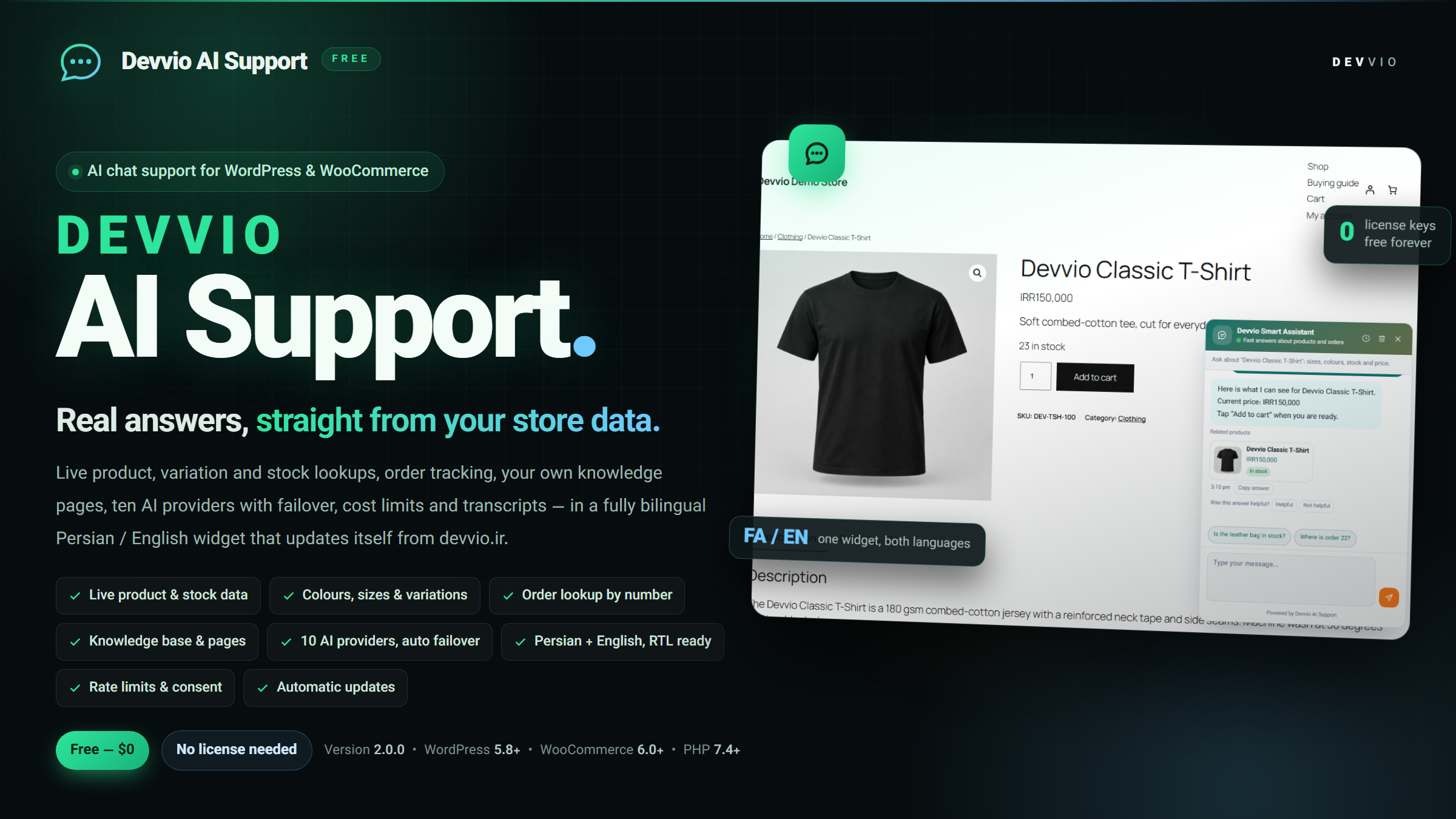
Devvio AI Support 2.0.0 — an AI chat support widget for WordPress and WooCommerce: answers built from live product, variation and stock data, order tracking with billing-email verification, a bilingual knowledge base, ten AI providers with automatic failover, cost guards, conversation logs and self-updates from devvio.ir. One complete edition, free, with no license key. The plugin puts a chat bubble on your store and answers visitors with the real state of your catalogue at that moment: product name, price, stock, SKU, category, attributes, every colour/size option and the status of each variation. Whatever you write in the store knowledge base is handed to the model too, so you never retype prices or availability by hand. Everything runs on your own server. Your API keys stay with you, conversations are stored in three dedicated WordPress tables, and an update check sends only the plugin version, PHP/WordPress versions and your domain to devvio.ir. One edition, everything included Devvio AI Support ships as a single Free edition. There is no activation key, no site limit, no annual expiry and no locked module. The plugin is GPL-2.0-or-later and new versions keep coming from this page. Item Status Price Free — $0 License key / activation None Site or domain limit None Features locked behind a paid tier None; everything is enabled Updates Automatic from devvio.ir, forever License GPL-2.0-or-later What the plugin does Answers from live WooCommerce data On a product page the model receives that product's name, type, price in the store currency, stock status, quantity when stock management is on, SKU, categories, short description and attributes. For variable products the full list of colour/size terms and the stock of every variation is included, so "is the black size L in stock?" is answered from real data instead of a guess. Similar products and the store's best sellers are shared as well, which lets the assistant suggest alternatives. A product card (image, title, price, link) can be shown under the answer and switched off. Product search inside the chat understands both Persian and English queries and resolves the matching product IDs. Order tracking The visitor enters an order number and the billing email of that order in the same widget. Data is released only when the email matches exactly: order number, status, date, total, items with quantities, payment method, shipping method, the tracking code in _devvio_tracking_code and notes written by the customer. Staff notes are never shared, and a failed lookup with a mismatched email is recorded in the event log. A bilingual knowledge base Seven separate texts, each in Persian and English: about the shop, shipping, returns, payment methods, contact, FAQ and store-owner instructions. Tick WordPress pages such as a buying guide to pass their full content to the model; the knowledge character limit is adjustable between 500 and 20000. Owner instructions set the tone, the boundaries and when to hand over to a human. Ten AI providers with automatic failover OpenAI, Anthropic, Google Gemini, OpenRouter, Groq, DeepSeek, Mistral, Perplexity, local Ollama and any OpenAI-compatible custom endpoint. Define several providers with priorities: if the first fails the next is tried, and the failing one is paused — 2 minutes for a transport error or empty answer, 5 minutes for a server error, 10 minutes for a rate limit, 30 minutes for exhausted credit and 6 hours for a bad key. A successful call clears the pause. API keys are stored hidden and only the last four characters come back; Test connection verifies a key before you save. Tune max response tokens (64 to 8000), model temperature (0 to 2), conversation history length (0 to 50 messages) and the provider timeout (5 to 120 seconds). If no provider answers, the widget shows your support contact message and the health screen records the reason — a visitor never sees a raw error. A bilingual, RTL-ready widget The admin screen, the widget, the default texts and the model replies all work in Persian and English; the reply language can be automatic, Persian or English. Four ready styles (modern card, minimal, soft, glass), three theme colours, automatic/light/dark mode and bubble placement across three vertical and two horizontal positions with offsets up to 300 px. The Vazirmatn font ships with the plugin and is optional. Animations, fullscreen on mobile, an unread badge, a tab-title notification and a teaser bubble after a delay are all switchable. Welcome message, header subtitle, input placeholder, quick replies, footer text and the bubble label are editable in both languages. Context-aware quick replies: a product page, the cart and checkout each suggest a different question. Copy and thumbs up/down on every answer, clear chat, history view, a typing indicator, Escape to close and ARIA labels for screen readers. Cost and abuse guards Messages per visitor inside a time window (12 per 5 minutes by default), a minimum gap between messages, a maximum message length and a site-wide daily cap. A single-use token per session, anonymised IPs and rejection of bot-like user agents. Provider endpoints pass an SSRF guard: private or loopback addresses are refused by default and can be allowed by turning off Block private endpoints or via the devvio_ai_support_allow_endpoint filter. Conversations, reports and health Conversations : full-text search, filters by status and provider, the complete transcript of any session and CSV export. Health & logs : sessions, messages, customer questions, fallback answers, failures, average latency, a 14-day chart, provider share and the busiest pages, plus the event log. Automatic cleanup follows the retention window through a daily WordPress cron; uninstalling removes every table and setting. Privacy Ask for consent before the chat starts, with editable text in both languages; switch transcripts off to keep history temporary only. IP anonymisation, a retention window from 1 to 3650 days and the official WordPress personal-data exporter and eraser for GDPR requests. Complete usage guide The same steps live inside WordPress under AI Support › Usage guide . Step 1 — Install and activate Download the ZIP from this product page. In the dashboard go to Plugins › Add New , click Upload Plugin , choose the ZIP, press Install Now and activate. Open AI Support › Settings . Until you connect at least one AI provider the widget only shows the support contact message — that is intentional so nothing costs you anything before you decide. Step 2 — Connect an AI provider In the AI providers tab click + Add provider . Set a name, pick the service (OpenAI, Anthropic, Gemini, OpenRouter, Groq, DeepSeek, Mistral, Perplexity, Ollama or custom), the model and the API key. For a custom provider paste the full endpoint URL. Use Test connection to confirm the key, then save. Keys stay hidden and only the last four characters are shown back. Add several providers with different priorities: if the first fails, the next is tried and the failing one is paused for a while. Running Ollama on the same server? Either turn off Block private endpoints or allow that host through the devvio_ai_support_allow_endpoint filter. Step 3 — Teach the assistant Fill shipping, returns, payment, contact and FAQ texts in both the Persian and the English column under Knowledge . Tick pages such as a buying guide so their full content reaches the model, and set the knowledge character limit. Write your rules in Owner instructions : tone, what never to say and when to refer the customer to a human. Do not type prices here — the plugin reads live WooCommerce data, including every colour/size variation, so it can never quote an outdated number. Step 4 — Design and placement Under Design pick the style, colours, dark mode, avatar, Vazirmatn font, animations, mobile fullscreen, unread badge, tab-title notification, teaser bubble and all bilingual texts. Under Visibility choose where the widget appears: all pages, home, product, shop, cart, checkout, posts or pages. To drop a single page, tick the "do not show" checkbox in that page's editor sidebar or add its ID to Hide on IDs . For an inline chat inside a page instead of a floating bubble, put the [devvio_ai_support] shortcode in it. Step 5 — Cost guards and privacy Under Limits set messages per visitor, the window length, the minimum gap, the maximum message length and the site-wide daily cap so API spend stays predictable. Switch Store transcripts off if you do not want conversation history in the database. Keep Ask for consent first on when you serve customers under GDPR. IPs are anonymised and transcripts expire automatically after the retention window through the daily cron. Step 6 — Order tracking When Show order lookup is on, the customer taps the order button in the chat, enters an order number plus the billing email of that order, and the plugin only returns data when the email matches — then the assistant uses it to answer. Both the post ID and the display order number are accepted. Step 7 — Handover to a human Fill phone, WhatsApp, Telegram, email and your working hours in both languages. Those channels appear when the assistant does not know the answer or the customer asks for a person. Step 8 — Conversations and reports Search or filter conversations and open any session to read the questions, answers, provider, model, latency and the customer's usefulness vote. Export the whole log as CSV for analysis or a support ticket. Watch the 14-day chart and the provider share on the health screen to see which questions went unanswered, then add those to the knowledge base. Step 9 — Automatic updates This plugin is free and needs no license. New packages appear on the WordPress Dashboard › Updates screen, delivered from devvio.ir, and install with one click. Use Check for updates on the health screen for an immediate check. Turn Automatic updates off under Limits if you prefer to install manually. Step 10 — Debugging Enable debug mode to see provider errors under the answer and in the health event log — a wrong key, exhausted credit or a rate limit. Turn it back off afterwards so visitors never see raw error text. Compatibility and requirements Item Minimum Note WordPress 5.8 Tested up to 6.7 PHP 7.4 — WooCommerce 6.0 Tested up to 11.2; needed for product and order data Order storage (HPOS) Compatible Officially declared compatible Theme Any standard theme Block and classic themes, RTL and LTR AI service One of ten providers or an OpenAI-compatible endpoint The API key is yours License GPL-2.0-or-later No key, no site limit The widget still loads without WooCommerce and answers from the knowledge base, but product, variation and order data obviously depend on WooCommerce. Changelog — version 2.0.0 Fully bilingual: every widget text, knowledge field, guide page and model reply in Persian and English, with an RTL/LTR admin interface. Provider layer with ten services, priorities, failover and error-aware cooldowns. Live product, attribute, variation, similar-product and best-seller context, plus product cards under answers. Order lookup with billing-email verification, tracking code, customer-only notes and denied-attempt logging. Seven-section knowledge base with page selection, a character limit and owner instructions. Cost guards: per-visitor limits, message gap, daily site cap and an SSRF endpoint guard. Conversations screen with search, filters, transcript view and CSV export; health screen with a 14-day chart and event log. Consent prompt, IP anonymisation, retention window and the official exporter/eraser tools. Automatic updates from devvio.ir with no license, and a precise message when no package is published yet. Copy-answer and feedback buttons, unread badge, teaser bubble, inline shortcode chat and complete data removal on uninstall. Support Send questions and bug reports from this product page on devvio.ir. Please include the plugin version, your WordPress and WooCommerce versions and the error text from Health & logs so the issue can be reproduced quickly.
Frequently asked questions
What is Devvio AI Support?
An AI chat support plugin for WordPress and WooCommerce. It adds a bilingual widget that answers visitors with live store data — product name and price, stock, SKU, attributes, every colour and size option and the status of each variation — together with the texts you write in your own knowledge base. It also does order tracking, handover to a human agent, cost limits, conversation logs and a health report.
Is it really free? Is there a paid edition?
Yes. There is only one edition and it is complete: no Pro or Ultimate tier, no activation key, no site limit and no locked features. The plugin is GPL-2.0-or-later and updates keep coming from devvio.ir for as long as you run it.
What do I need to run it, and who pays for the API?
An API key from one AI service: OpenAI, Anthropic, Google Gemini, OpenRouter, Groq, DeepSeek, Mistral, Perplexity, a local Ollama model, or any OpenAI-compatible endpoint. Usage is billed by that provider on your own account and the plugin adds nothing on top. With Ollama on your own server you can run it without any subscription at all.
Is WooCommerce required?
For product, variation and order data, yes — WooCommerce 6.0 or newer, tested up to 11.2, and the plugin declares compatibility with the custom order tables (HPOS). Without WooCommerce the widget still loads and answers from your knowledge base and selected pages.
Do I have to enter prices and stock myself?
No. The plugin reads them from WooCommerce at request time, and for variable products it passes the colour/size list with the stock of each variation. It can therefore never quote an outdated number, and you do not maintain the same information in two places.
How does order tracking work, and is it safe?
The customer enters an order number and the billing email of that order in the widget. Data is released only when the email matches exactly: status, date, total, items, payment method, shipping method, the tracking code and notes written by the customer. Staff notes are never shared, and a lookup with a mismatched email is refused and recorded in the event log.
What happens if my first AI provider fails?
The next provider in priority order is tried and the failing one is paused: 2 minutes for a transport error or empty answer, 5 minutes for a server error, 10 minutes for a rate limit, 30 minutes for exhausted credit and 6 hours for an invalid key. One successful call clears the pause. If nothing answers, the widget shows your support contact message and the health screen records the reason.
Does the widget work in Persian and English, and in RTL?
Yes. The admin screen, the widget, the default texts, the knowledge base and the guide all exist in both languages and follow RTL or LTR layout. The reply language can be automatic, Persian or English, and the Vazirmatn font ships with the plugin.
How do I control API cost?
Under Limits you set messages per visitor inside a time window, the minimum gap between messages, the maximum message length and a site-wide daily cap. Response token budget, history length and the provider timeout are adjustable too, so spend stays predictable.
Where is conversation data stored, and what about GDPR?
In three dedicated tables in your own WordPress database, with anonymised IPs. You can switch transcripts off so history stays temporary only, edit the consent text in both languages and set a retention window that a daily cron enforces. The official WordPress personal-data exporter and eraser are wired up. An update check sends only the plugin version, PHP/WordPress versions and your domain to devvio.ir.
How are updates installed?
The plugin hooks into the WordPress update system, so new releases appear under Dashboard › Updates and install with one click. Use Check for updates on the health screen for an immediate check. Because there is no paid tier, update delivery is open to everyone and never expires.
Can I hide the widget somewhere or put the chat inside a page?
Yes. Choose target pages under Visibility (all, home, product, shop, cart, checkout, posts or pages), list excluded page IDs, or tick the do-not-show checkbox in that page's editor sidebar. For a fixed inline chat instead of a floating bubble, use the [devvio_ai_support] shortcode inside the page.
What happens when I delete the plugin?
The files are removed and, on a full uninstall, the three conversation tables and every setting are deleted as well, leaving nothing behind in the database. Export a CSV of your conversations beforehand if you want to keep them.
Select edition